

Phone Troubleshooting
If your desk phone isn’t working or the caller can’t hear you (or you can’t hear them), follow these steps before submitting a support request.
Audio Issues (Can’t Hear or Be Heard)
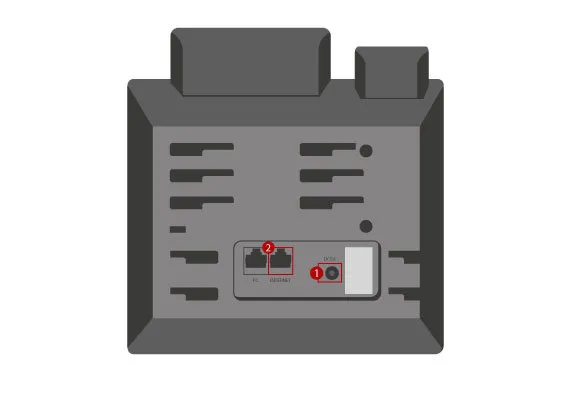
-
Check the handset cord
Follow the coiled cord from the handset to the port on the left side of the phone base. Make sure both ends are firmly seated. Unplug and reseat the connector if it feels loose. -
Try the call again
Pick up the handset and check for a dial tone. If audio is still missing, move to the next step. -
Restart the phone
Unplug the Ethernet cable from the INTERNET port on the back of the phone (labeled 2 in the image above). This is the cable that provides both network and power. Wait 10 seconds, plug it back in, and let the phone fully restart. The screen will show the Yealink logo during boot. -
Test the call
Once the home screen reappears, try your call again. If the issue persists, contact IT support.